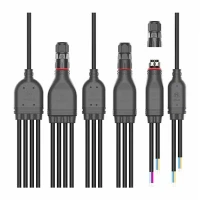
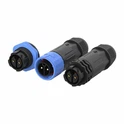
As a supplier of T type connectors, I often encounter customers facing issues with these connectors. Troubleshooting a faulty T type connector can be a systematic process that involves a series of steps to identify and resolve the problem. In this blog, I'll share my experience and knowledge on how to troubleshoot a faulty T type connector.
Initial Inspection
The first step in troubleshooting is to conduct a visual inspection of the T type connector. Check for any obvious signs of damage, such as cracks, bent pins, or loose parts. Physical damage can often be the root cause of connectivity issues. If you notice any visible damage, it's likely that the connector needs to be replaced.
Inspect the connector's housing for any signs of wear and tear. Over time, the housing can become brittle or cracked, which may lead to moisture ingress or short - circuits. Make sure the connector is properly seated in its socket. A loose connection can cause intermittent or complete loss of signal.
Electrical Continuity Testing
Once the visual inspection is complete, the next step is to test the electrical continuity of the connector. You can use a multimeter for this purpose. Set the multimeter to the continuity or resistance mode.
Connect the multimeter probes to the corresponding pins of the T type connector. A good connection should show low resistance (close to zero ohms). If the multimeter shows infinite resistance or a very high resistance value, it indicates a break in the circuit. This could be due to a broken wire inside the connector or a poor connection at the pin.
Test each pin of the connector to ensure that all the electrical paths are intact. Pay special attention to the pins that are critical for the proper functioning of the device connected to the T type connector.


Signal Integrity Testing
In addition to electrical continuity, it's important to test the signal integrity of the T type connector. This is especially crucial for connectors used in high - speed data transmission applications.
You can use a signal analyzer or an oscilloscope to test the signal quality. Connect the test equipment to the connector and send a test signal through it. Analyze the waveform of the received signal. Look for any signs of signal distortion, such as noise, attenuation, or jitter.
If the signal quality is poor, it could be due to a variety of factors, including impedance mismatches, electromagnetic interference (EMI), or a faulty connector. Check the impedance of the connector and make sure it matches the impedance of the connected devices. You may also need to shield the connector to reduce EMI.
Environmental Factors
Environmental factors can also have a significant impact on the performance of T type connectors. Moisture, dust, and extreme temperatures can all cause problems.
If the connector is exposed to moisture, it can lead to corrosion of the pins and other metal parts. This can result in poor electrical contact and signal degradation. Check for signs of moisture ingress, such as water droplets or rust on the connector. If moisture is detected, dry the connector thoroughly and consider using a waterproof connector, such as the M27 Straight Type Waterproof Connector or the M16 Straight Type Waterproof Connector.
Dust and debris can accumulate inside the connector, causing physical blockages and interfering with the electrical contact. Use compressed air or a soft brush to clean the connector.
Extreme temperatures can cause the materials of the connector to expand or contract, leading to mechanical stress and potential damage. Make sure the connector is rated for the temperature range of its operating environment.
Compatibility Issues
Sometimes, the problem with a T type connector may be due to compatibility issues. Check if the connector is compatible with the devices it is connected to. This includes factors such as the voltage rating, current capacity, and pin configuration.
If the connector is not compatible, it may not function properly or may even cause damage to the connected devices. Refer to the device manuals and the connector specifications to ensure that they are a good match.
Connector Replacement
If all the troubleshooting steps above fail to resolve the problem, it may be necessary to replace the T type connector. When replacing the connector, make sure to choose a high - quality replacement that meets the specifications of your application.
For example, if you need a waterproof T type connector, consider the M20 T Type Waterproof Connector. Follow the manufacturer's instructions for proper installation of the new connector.
Conclusion
Troubleshooting a faulty T type connector requires a systematic approach. By conducting a visual inspection, testing electrical continuity and signal integrity, considering environmental factors and compatibility issues, and replacing the connector if necessary, you can effectively identify and resolve problems with T type connectors.
If you are facing difficulties in troubleshooting or need high - quality T type connectors for your applications, we are here to help. We are a professional supplier of T type connectors with a wide range of products to meet your diverse needs. Contact us for more information and let's start a discussion about your procurement requirements.
References
- "Connector Handbook" by some industry experts
- Manufacturer's documentation of T type connectors